Getting started
Open the panel, get your captions in, pick a preset, then refine.
MotionCaption runs in both After Effects and Premiere. After Effects gets native text layers and Premiere gets a MoGRT, so each app can do different things.
After Effects330+ presets
 After Effects
330+ caption presets on native text layers. Font, color, size, background, animation and easing are all yours to change.
Premiere80+ presets, one clip
 Premiere
80+ caption presets on the MoGRT MotionCaption installs for you. Every caption sits on one clip, so generation is fast. Style it in the panel, and bake to PNG for instant preview.
The first-run flow
Two steps from raw audio to animated captions on your timeline. The rest is optional.
Get your captions in
Get captions into MotionCaption using transcription, an imported file, or manual edits in the panel.
Transcribe from timeline audio
In the extension, go to the Captions section of the MotionCaption panel and click Transcribe. It runs on your active sequence or composition audio, or you can point it at an audio file instead. Pick the mode that matches your setup:
- Local model (Whisper): works offline and costs no credits. Choose a Whisper model size in the dialog. Can be slower on machines with limited RAM.
- Cloud AI: usually faster, and costs 1 AI credit per minute of audio. It returns a start and end time for every word, with punctuation and casing applied. Tick Separate speakers in the dialog if you also want two-speaker labels.
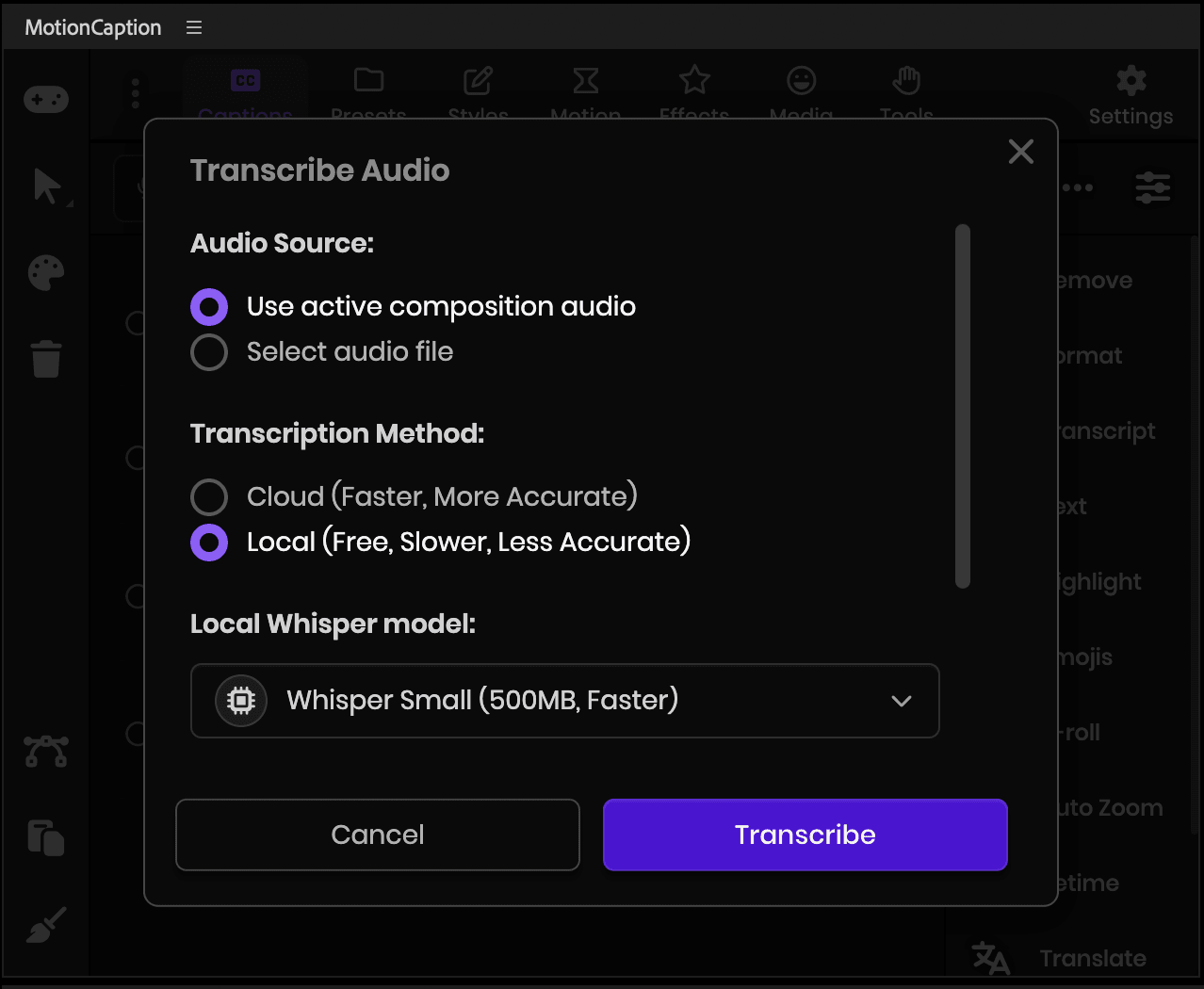
Choose the audio source and the transcription method, then click Transcribe. Import a subtitle file (.srt, .txt, .csv)
MotionCaption accepts .srt, .txt and .csv. Import one, then carry on with review and presets.
Create and export captions in Premiere
No file yet? In Premiere, transcribe or generate captions in the Text panel, then export them.
- In the Text panel, create or transcribe captions so they appear in the Captions section.
- (Recommended) When using Create captions (or similar), set Maximum length in characters to its minimum value and choose Single under Lines. That tends to keep timing aligned with speech (including word-level workflows). Optional if your file already looks right.Premiere
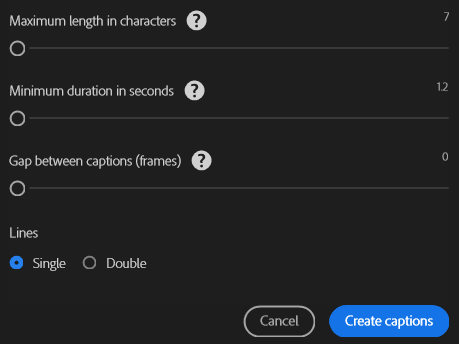
Create Captions in Premiere: short lines and Single line help timing track speech. - Export an SRT: in the Captions area of the Text panel, open the ⋯ menu, choose Export, then Export to SRT file….Premiere
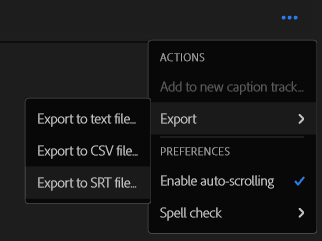
⋯ → Export → Export to SRT file… - In MotionCaption, import that .srt (or use .txt / .csv if that is what you exported elsewhere).
Add captions manually in the panel
You can skip files and transcription: type captions in the + dialog and retime them in the panel.
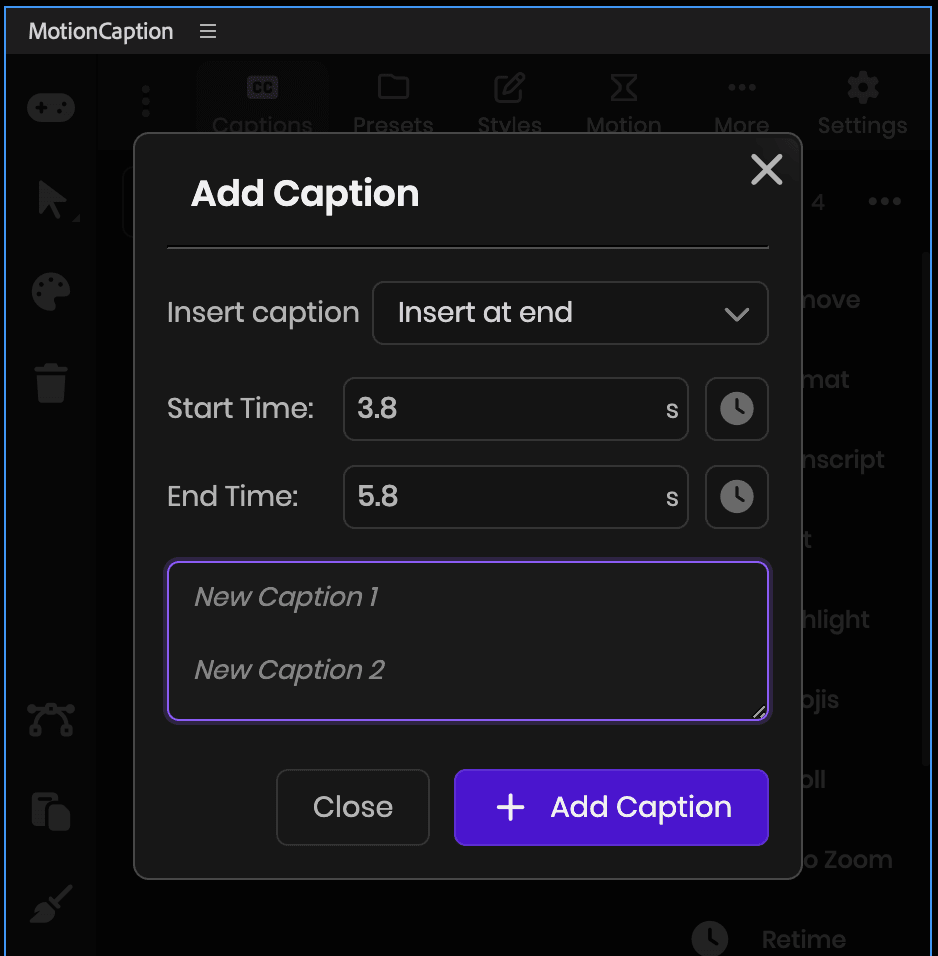
Pick where it lands, set the timing, and type one caption per line. Review the rows before you generate (optional)
Every caption is a row with its own in and out times. Click its text to edit it. Select a row and the actions beside the list act on it: Format, Highlight, Retime, and more. Select several rows to act on all of them at once.
MotionCaption in After Effects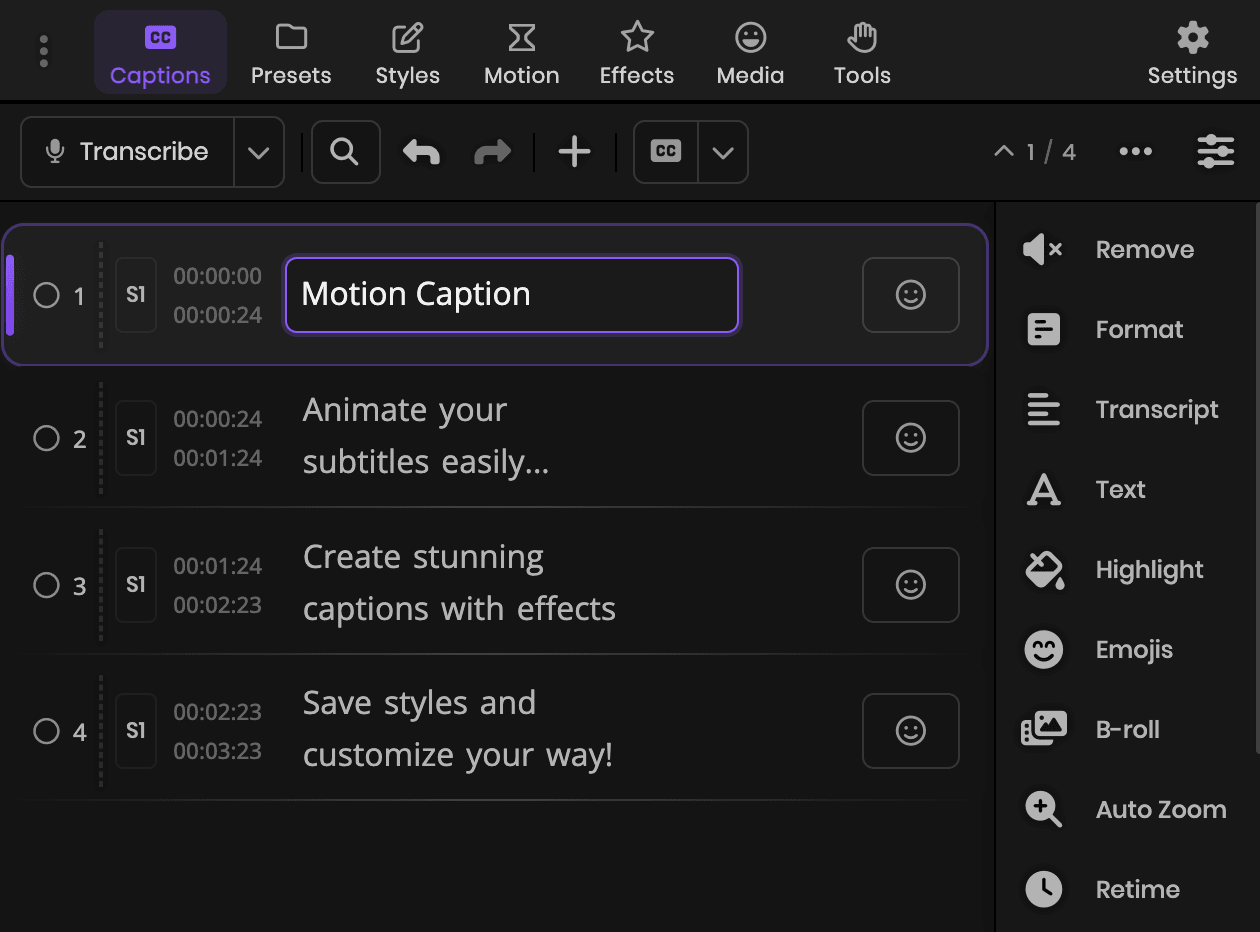
Rows carry the text and timing. The actions beside the list apply to whatever you select. MotionCaption in After Effects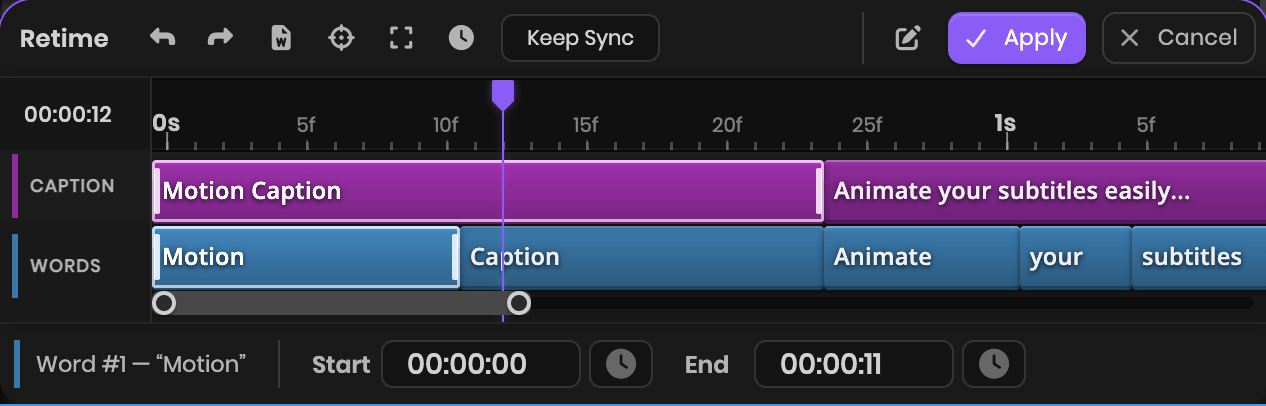
Retime opens a mini timeline. Drag the caption span, or a single word. Choose a preset
Go to the Presets tab and click a preset (330+ in After Effects, 80+ in Premiere on one MoGRT). MotionCaption generates the animated captions on your timeline.
Tune the preset first (optional)
Right-click a preset to open its settings, adjust the options, and save it if you want a reusable setup. Then click the preset thumbnail to generate with that look.
Choose how the layers come out (After Effects). In the same preset settings, most presets let you pick the layer structure, from one layer for everything to one per word. Some presets are built for one layout. See Timeline output.
MotionCaption in After Effects
After your first captions
Optional, when you want more control.
Set where captions land
Click the Settings gear in the panel header (or press Q) and open Layout Settings, the first section. Drag the box in the preview, or enter Align XY and Scale values. It is one placement for every preset, and each preset you click generates there. Captions already on your timeline follow it in After Effects (Update MotionCaption Layer is on by default). In Premiere, switch on Update Selected Clips and select the caption clips first.
MotionCaption in After EffectsRefine after creation
Your captions stay editable after they land on the timeline. Open the Styles tab to adjust the look whenever you want.
After Effects:The controller icon in the left sidebar reveals properties in the Effect Controls panel. Edit transform and styles, or add animation and effects, in the panel's other tabs: Styles, Motion, Effects, and Media.
Premiere: In the MotionCaption panel, open the Styles tab and click the Properties button.